Zombie Trend Video Doesn't Look Like You? What to Fix
When a zombie trend video does not look like you, the cause is almost always the photo or the slot it went into. The model sees one photo of each of you and has to invent every other angle, expression and the zombie look, so a side-on, filtered or shadowed photo gives it less to keep. A front-facing photo in daylight, one face per photo, fixes most of it.
Judge likeness in the memory at the end, not in the zombie close-up: grey skin and clouded eyes change a face on purpose. Below are the problems we hit in our own test renders on 8 and 9 October 2026, and what to do about each one. A new render costs 12 credits at 720p again; a failed one gives its credits back.
Updated
FIXES
Your zombie video doesn’t look like you?
- Faces that drift
- Wrong one turned
- No zombie look
Why faces drift in an AI zombie trend video
The prompt asks the model to keep each face and hairstyle exactly as in the photos. It cannot keep what it cannot see. Sunglasses hide the eyes the zombie look is drawn on, a profile gives no front view for the close-ups, a beauty filter smooths away the details that make a face yours, and a tiny face in a full-length photo leaves little to work with.
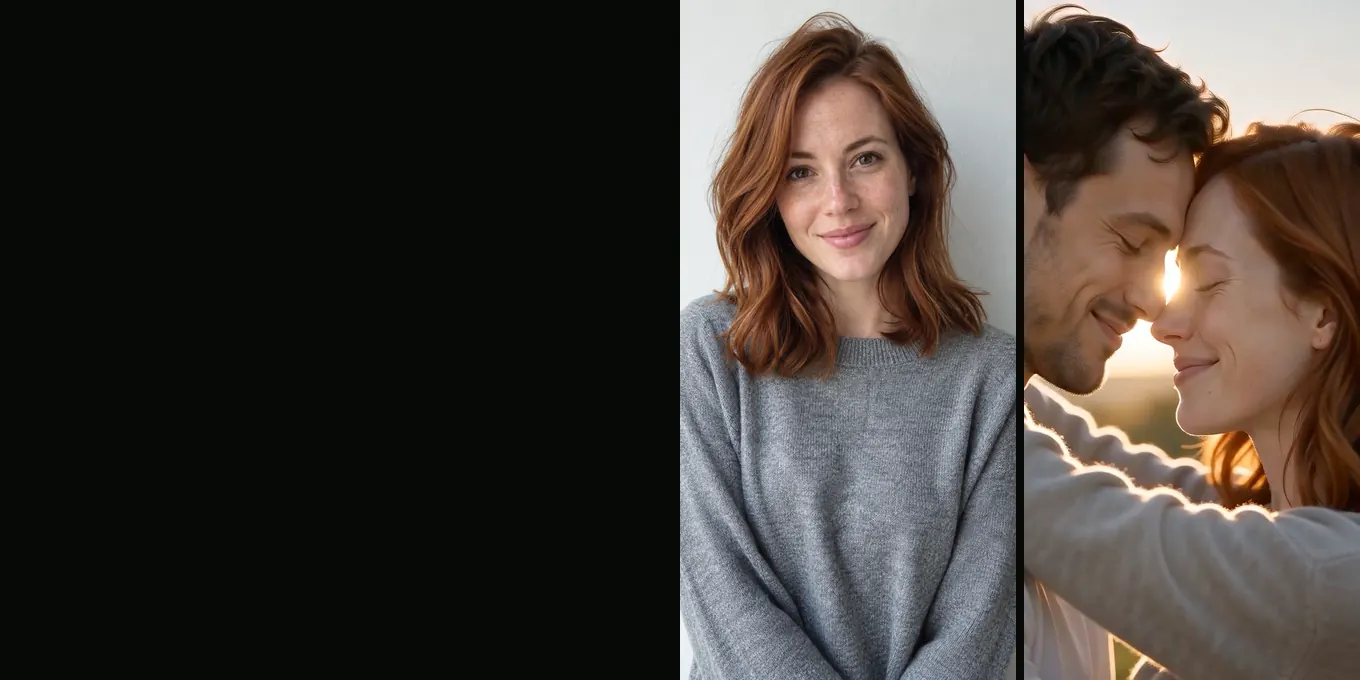
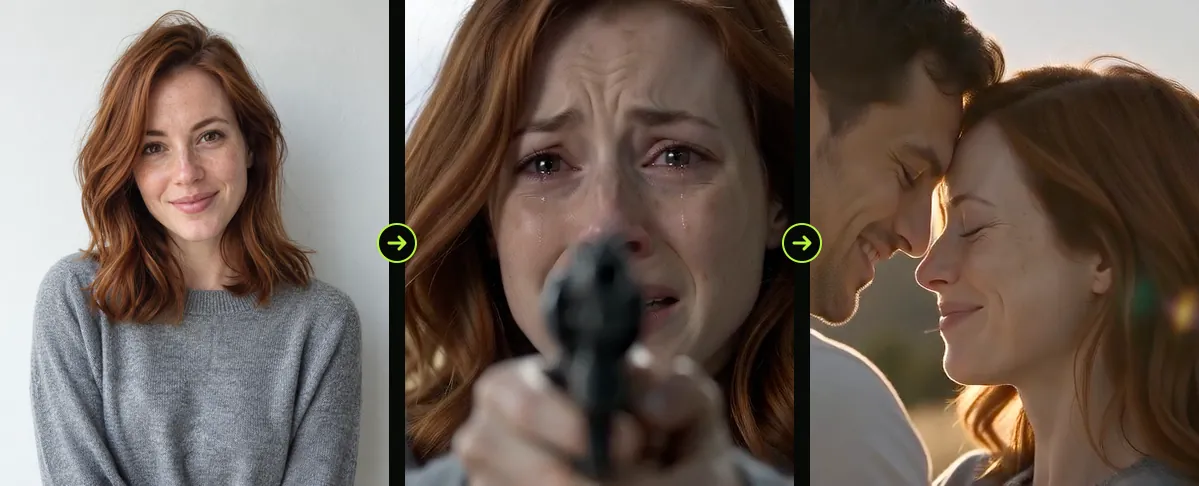
In our renders, front-facing daylight photos held up: the woman with auburn hair kept her freckles and grey sweater, the man kept his short dark hair through the zombie look and the meadow, and a friend with long braids kept her braids in every shot.
Problems and fixes
| What you see | Likely cause | What to change |
|---|---|---|
| It looks like someone else | Side angle, sunglasses, strong shadow or a filter | A front-facing photo in daylight, eyes open, no filter |
| The wrong person turned | The photos went into the wrong slots | Press the ⇄ button between the photos and make it again |
| The two of you blend together | Two very similar photos (same pose, light and clothes) | Pick photos that look clearly different |
| The one who turned never looks like a zombie | Happened in our mother test and our cat tests | Make it again; see the notes below |
| Your pet looks like a different animal | A flash photo, a blurry one or only the nose in frame | A daylight photo at eye level with the whole head |
| Your hair or face is from years ago | An old photo | Use a recent one |
What went wrong in our own zombie trend renders
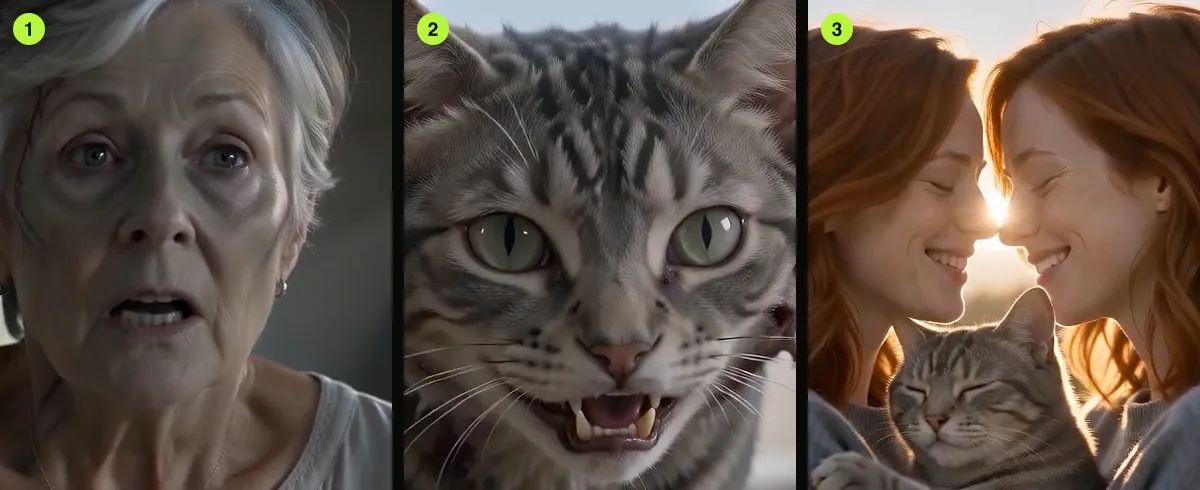
- A mother who never turned. In two renders with a woman in her sixties, the close-up showed her normal face. Everything else, the leap and the hug, worked.
- A cat that only snarled. In both of our cat renders the cat kept its green eyes; the zombie part was bared teeth. The prompt asks for milky eyes, and our golden retriever got them.
- A second person in the last shot. In our first cat render the close-up at the end showed two copies of the woman with the cat between them. We changed the pet film’s last shot on 9 October to say she is the only person, and the next cat render had one woman.
- A scar left over in the memory. Our first tall-frame render, on 8 October, kept a dark scar on the man’s neck in the meadow; the memory line now lists “no marks, scars or veins”.
None of these came from a bad photo; they are the model being a model. The AI zombie trend prompt guide shows the wording each fix added.
What happens to your credits
If a zombie trend render fails, or the finished film is held back by our content check, the credits return to your balance automatically. A film that rendered but does not look the way you hoped is not refunded automatically: the refund policy covers unused packs within 14 days, duplicate charges and outages, not dissatisfaction with a finished film. So check the photos before you press the button; it is the cheapest fix there is.
FAQ
Why doesn't my zombie trend video look like me?
Usually the photo: a side angle, sunglasses, strong shadows or a beauty filter. The model sees one photo and invents the rest. Use a front-facing daylight photo with one face in it.
How do I change who turns into the zombie?
The left photo holds the gun and the right photo turns. Press the ⇄ button between the two photos to swap them, then make the film again.
Can I fix one shot instead of making the whole zombie trend video again?
No. Each render is a new 15-second film; nothing is edited frame by frame. A new film costs its credits again.
Do I get my credits back if the video doesn't look like me?
If the render failed, yes, automatically. If it rendered and you are unhappy with the result, no; that is why the photo checks matter.
Read next
Best Photos for the AI Zombie Trend: What to Upload
One face, facing the camera, in daylight: the checklist, the file rules and the photos behind our test renders
AI Zombie Trend Prompt: Our Full Text and Four Fixes
The full AI zombie trend prompt, what each line does, and four fixes from our own test renders, with frames from each
How to Make an AI Zombie Video: Two Photos, One Film
Step by step: the two photos, Couple or Pet, the settings, and how to check the 15-second film before you post it
Zombie Trend With Your Best Friend, Mom or Sister
The zombie trend for best friends, siblings and parents: what reads differently, the photos, and three of our own test renders
AI Zombie is an independent site with no ties to TikTok or to any film or TV studio. Clips by other creators belong to them.