How to Make the Zombie Trend With Gemini (2026)
Yes, you can make a version of the zombie trend in Gemini, but not in one go. As of 9 October 2026 the Gemini app makes videos with Gemini Omni, which replaced Veo 3.1 there: 10-second videos with sound, from a prompt and up to five photos, on a paid Google AI plan. The full story (standoff, dropped gun, leap, memory) is longer than one clip, so you make it in two parts and join them.
This guide covers what it offers now, a way to split our tested prompt into two clips, and the alternative: our generator renders the whole 15-second film from two photos in one go. We have not tested this in Gemini ourselves; the facts about it come from Google’s own pages.
Updated
GEMINI
The zombie trend with Gemini
- 10-second clips
- Two prompts
- One-step route
What Gemini can and can’t do for the zombie trend
| Gemini app (Gemini Omni) | Our generator | |
|---|---|---|
| Length of one clip | 10 seconds | 15 seconds, the whole story |
| Photos you can add | Up to 5 | 2 (one per person or pet) |
| Sound | Generated with the video | Generated with the video |
| Who can use it | Google AI subscribers; not in the EEA, Switzerland, the UK and some US states | Anyone who signs in with Google and buys credits |
| The match cut and memory | You write it, often as two clips joined by hand | Written into the prompt |
| Mark in the file | SynthID watermark (invisible) | C2PA “made with AI” label |
Step 1: the cold part, standoff to leap
Add a photo of each of you and ask for the first half of the story in one clip. Adapted from our tested prompt (we have not run this version there):
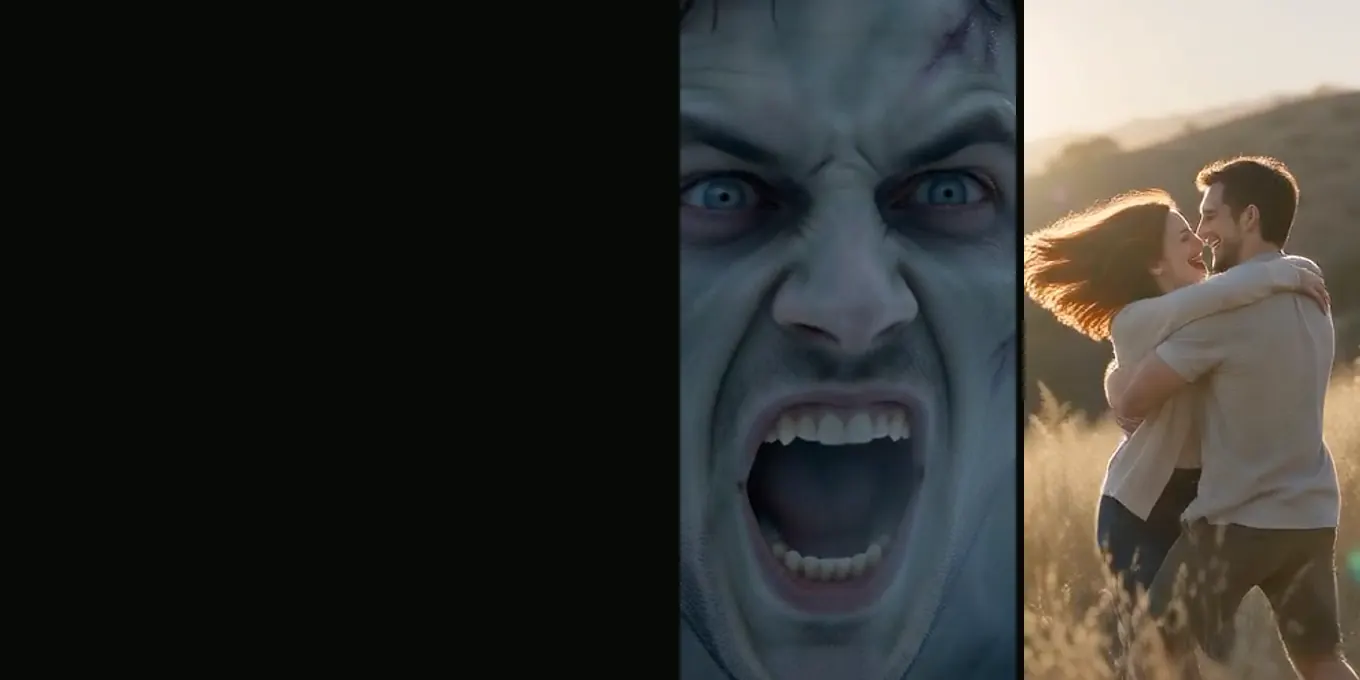
A short photoreal film, no titles. The bare main room of an abandoned wooden farmhouse after the outbreak, grey daylight, open floor between the two. The person in the first photo raises a handgun in both hands, crying, hands shaking; their skin stays clean. The person in the second photo has turned: ashen grey-green skin, clouded pale eyes, torn dusty clothes, the same face and hair as the photo, no blood. Close on the survivor's wet eyes; over their shoulder the turned one comes through the doorway; tight on the turned face, a low snarl; the survivor lets the gun drop to the floor and opens both arms; wide side-on shot, survivor on the right, the turned one runs in from the left and leaps, held in mid-air. Sound: wind, shaky breathing, one growl, the thud of the gun.Step 2: the warm part, the memory
The same two people from the photos, as they were before, no marks or scars, in a hillside meadow of tall grass at golden hour. Wide side-on shot: the person from the second photo is in mid-air from the left, exactly as at the end of the last clip, and lands in the open arms of the person from the first photo, who spins them around, both laughing, slow motion. Then a close two-shot, foreheads almost touching, sun flare between them, both smiling with eyes closed. Soft piano and quiet laughter, no dialogue.Step 3: join the two clips
In CapCut or any editor, put clip 1 before clip 2 and cut while the body is in the air, so the landing happens in the meadow. Two clips from separate generations rarely match perfectly, so trim the end of the first and the start of the second until the jump lines up. The zombie match cut guide explains what to line up.
The one-step route
If you would rather not prompt, generate twice and edit, our generator does it in one render: two photos in, a 15-second film with the leap and the memory out, in one of five worlds, 12 credits at 720p. There is no free trial or free preview: the smallest pack is 12 credits for $9.99, which pays for one 15-second film at 720p, and a render that fails gives its credits back on its own.
FAQ
Can Gemini make the whole zombie trend video in one go?
Not the full story in one clip as of 9 October 2026: one video there is 10 seconds. Most people make the standoff and the memory as two clips and join them.
Do I need a paid Gemini plan to make it?
Yes. Google says a Google AI subscription is required for video in the app, and video is not available in the EEA, Switzerland, the UK and some US states.
Is Gemini Veo still used for videos?
Google’s page says Gemini Omni has replaced Veo 3.1 in the app. Older guides that mention 8-second Veo clips describe the previous model.
Why does my Gemini zombie video look like someone else?
Every clip is generated separately, so a face can drift between clip 1 and clip 2. Use the same clear, front-facing photos for both.
Sources
Read next
AI Zombie Trend Prompt: Our Full Text and Four Fixes
The full AI zombie trend prompt, what each line does, and four fixes from our own test renders, with frames from each
The Zombie Match Cut, Explained Frame by Frame
The leap that lands in a memory: what a match cut is, the two prompt lines behind it, and frames from our renders
Zombie AI Video Generators Compared (October 2026)
Models, platforms and one-step zombie trend sites: what each takes, with lengths and prices checked on 9 October 2026
Zombie Trend in CapCut: Templates or a Finished Film?
CapCut templates, editing your own clips, or adding sound and text to a finished zombie trend film
AI Zombie is an independent site with no ties to TikTok or to any film or TV studio. Clips by other creators belong to them.