The Zombie Match Cut, Explained Frame by Frame
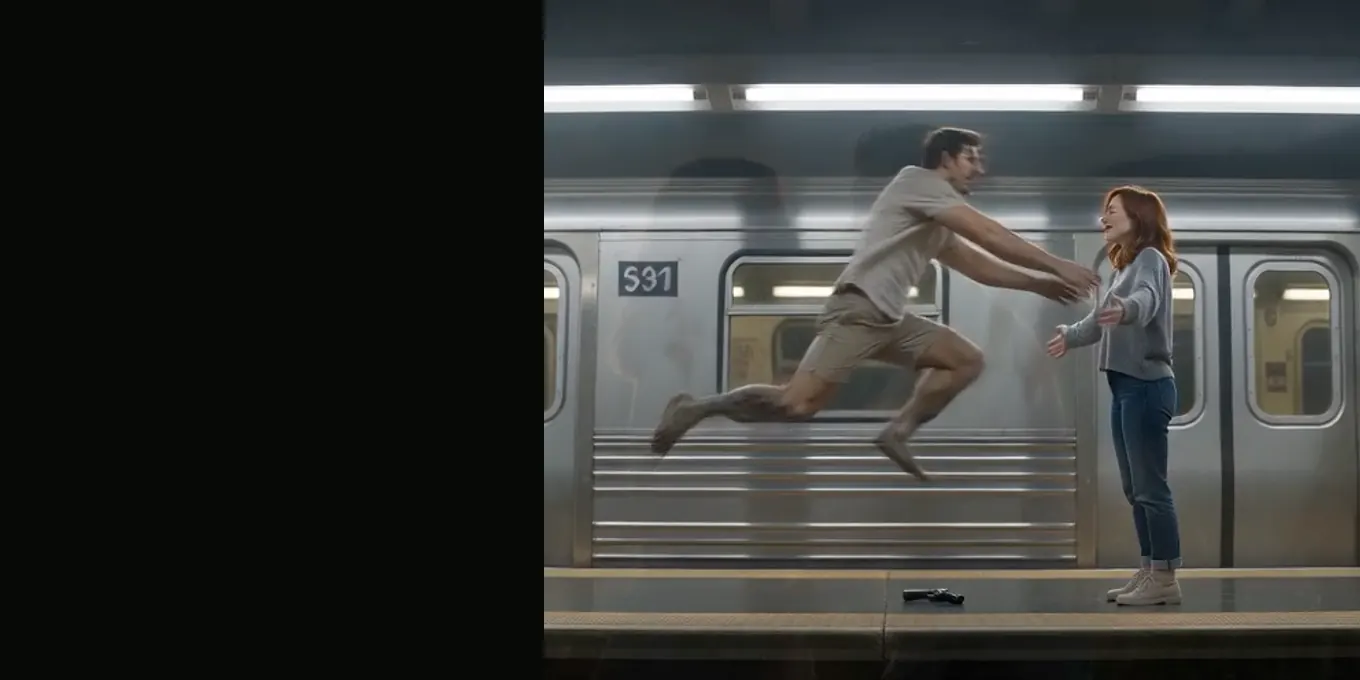
A match cut joins two shots by keeping something the same across the cut: a shape, a movement, a position in the frame. In the zombie trend it is the leap. The one who turned jumps in a dark room, and the same jump, in the same place in the frame, lands in a sunny meadow where both of them look the way they used to. That one cut turns a horror scene into a memory.
Our generator writes the match cut into the prompt, so you do not edit anything. This guide explains how, and shows frame by frame what the cut looked like in our own renders of 9 October 2026.
Updated
THE CUT
The zombie match cut, frame by frame
- Why mid-leap
- Two prompt lines
- Our renders
Why the zombie trend cuts on the leap
A plain cut to a memory says “and here is a flashback”. A cut in the middle of the jump says “this is the same moment”: the person running at you is the zombie and the one you remember, at once. The eye follows the body across the cut and does not have time to notice the room has changed, so the change lands as a feeling rather than a scene change.
The two prompt lines that make the match cut
Shot 5 freezes the leap in a frame both scenes can share: “wide side-on shot …, the person from reference image 1 on the right with open arms, the person from reference image 2 runs in from the left and leaps, held in mid-air an instant before they touch.” Shot 6 then asks for “a match cut on the leap (a brief dissolve … is fine) that carries the same leap, same framing and same body positions into the meadow”.
Placing the bodies (right, left, mid-air) is what gives the model something to carry across. Our earlier wording, which only asked for a cut to a memory, gave two unrelated scenes. The full text is in the AI zombie trend prompt guide.
What the match cut looked like in our renders
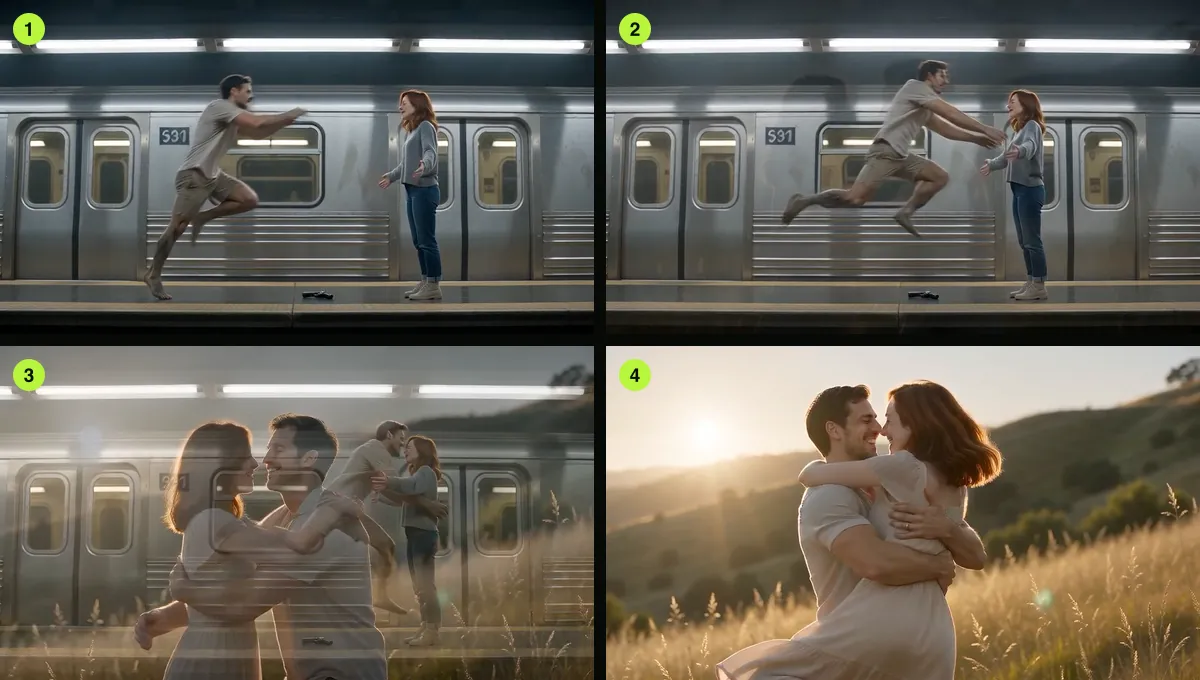
We asked for a hard cut at first and allowed a brief dissolve later, because the model made one anyway and it looked right. In our renders of 9 October the room usually faded into the meadow over about a third of a second while the leap was in the air. In the Night Subway world the man is mid-air beside the train and lands in the meadow in the next frames. In two renders the leap came about two seconds late and the meadow started late too.
The frames below are the cut in our Night Subway render: the leap on the platform (1), the dissolve (2), the landing in the meadow (3), the hug (4).
Lining up a match cut yourself
If you build the story from two separate clips (one dark, one warm), the cut is yours to place. Three things carry it:
- The same position: the jumping body sits in the same part of the frame on both sides of the cut.
- The same direction: the motion goes the same way, left to right in our films.
- The cut mid-air, not on the landing: cut while the body is still in the air, so the landing happens in the memory.
FAQ
What is a match cut in the zombie trend?
The cut in the middle of the leap: the one who turned jumps in the dark scene, and the same jump continues into a bright memory where both of them are themselves again.
Where exactly should the match cut go?
Mid-air, with the body in the same place in the frame on both sides. Our prompt holds the leap in a wide side-on shot just before contact and asks for the next shot to continue it.
Do I have to edit the match cut myself?
Not here. The generator renders the whole 15-second film, cut included. You only need an editor if you join two clips from another tool.
Sources
Read next
AI Zombie Trend Prompt: Our Full Text and Four Fixes
The full AI zombie trend prompt, what each line does, and four fixes from our own test renders, with frames from each
Zombie Apocalypse Scene Ideas: Five Worlds, One Hug
Farmhouse, Fallen City, Blizzard, Empty Mall and Night Subway: the five zombie trend worlds, tested, plus ideas for your own prompts
How to Make an AI Zombie Video: Two Photos, One Film
Step by step: the two photos, Couple or Pet, the settings, and how to check the 15-second film before you post it
Zombie Trend in CapCut: Templates or a Finished Film?
CapCut templates, editing your own clips, or adding sound and text to a finished zombie trend film
AI Zombie is an independent site with no ties to TikTok or to any film or TV studio. Clips by other creators belong to them.